
Construction Superintendent Software
Run the field without losing the next move.
Keep crews, upcoming work, field conditions and commitments visible while the day is moving.
Built around the jobsite
Document once. Carry exceptions forward.
Crews, progress, photos, deliveries, inspections and field conditions build the daily record. If an entry needs action, it can continue into the appropriate workflow without being entered again.
Routine activity stays routine. Exceptions keep moving.
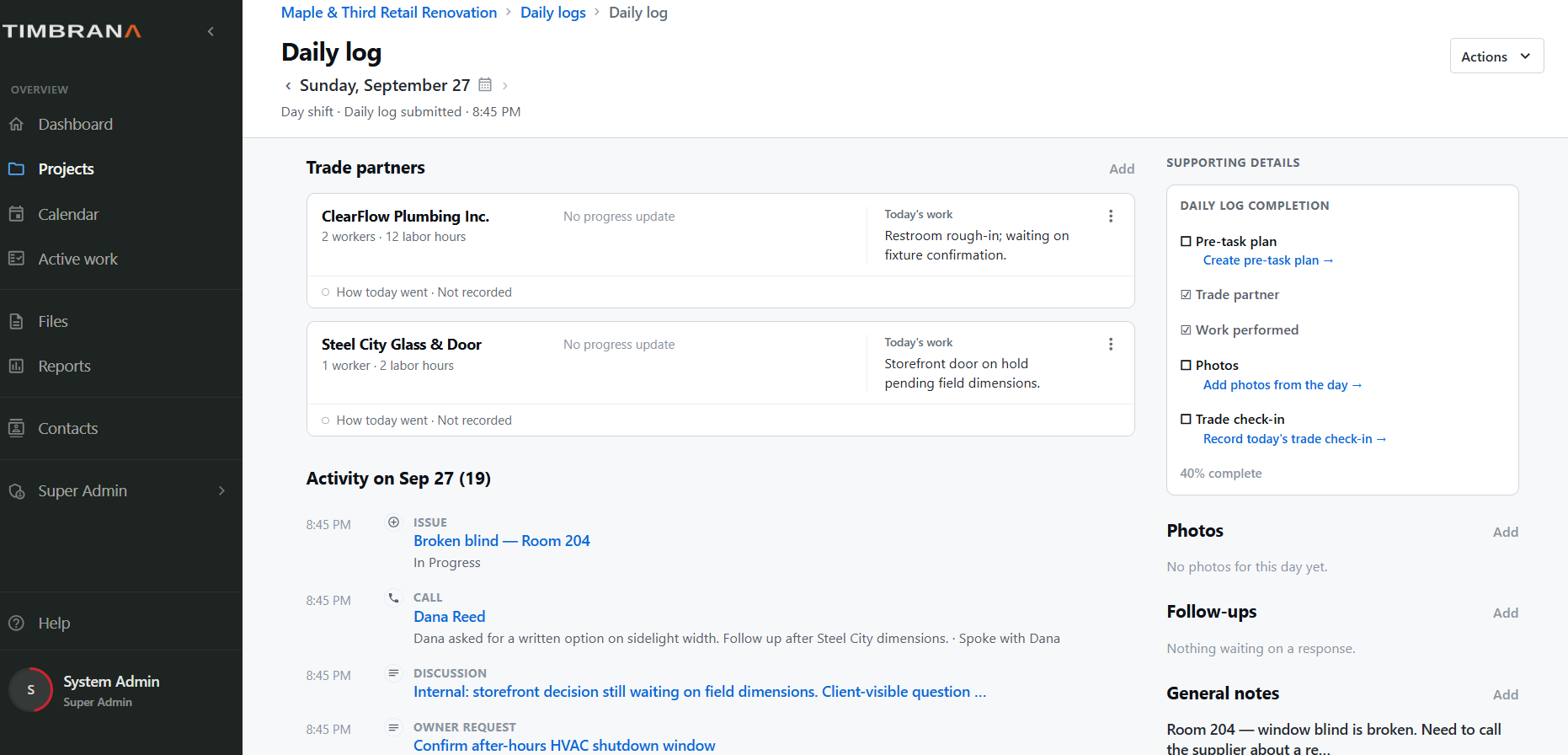
Daily log
Review the submitted day at a glance.
Trade partners, work performed, project activity, photos, follow-ups and notes stay together when the day is reviewed later.
Field to office
Give the PM context without writing the story twice.
A superintendent can surface the condition and practical impact. The project manager can take the formal next step when needed. Timbrana keeps those actions tied together so the field can see where the item stands without chasing a separate email thread.
Next
Return to the project-team view to see what changes for the PM, executive and client.
Back to Who It's For